


 0151 792 6995
The office chair feature guide
Office chair features, made simple.
The right chair does more than look the part. It fits your body, supports the way you work and makes it easy to change position. Here’s what to look for — and why it matters.
 Fit. Support. Movement.
A chair should adjust to you.
Height, seat depth, back support and arm position work together. Start with a comfortable fit, then choose the materials and features that suit your day.
 Seat height + sliding seat depth
Fit comes first
Get the foundations right.
A seat that fits gives the rest of the chair a chance to do its job. Start with height and depth.
Seat height
A gas lift lets you raise or lower the seat to suit your legs and desk. Look at the minimum and maximum seat height: the adjustment range matters more than the overall chair height.
Seat depth & width
A sliding seat lets you change how much of your thighs are supported. Check the usable width too, especially between the armrests. A deeper or wider seat is not automatically a better fit.
Look for: a seat slide if you want more control over the fit, particularly for shorter or longer legs.
Lumbar support + adjustable armrestsSupport where it counts
Comfort is in the details.
Back support and arm position should feel natural, with controls you can reach and use.
Lumbar support
Lumbar support sits in the lower-back area. Depending on the chair, it may adjust in height, depth or respond as you move. Check where it meets your back, rather than simply choosing the most pronounced shape.
Adjustable armrests
Height adjustment helps bring the arms into a useful position. Extra movement can bring the pads closer to you, move them backwards or angle them towards your keyboard. Check that they still let you sit close to the desk.
Decode the label: 2D, 3D and 4D describe adjustment directions. The exact movements vary between models.
 Recline + movement control
Designed to move
Your next position matters.
A good chair should support more than one sitting position. Understand the mechanism before comparing the extras.
Tilt & recline
A basic tilt mechanism moves the seat and back together. A synchro mechanism moves them in a coordinated relationship at different rates. Some chairs offer independent adjustments. Check the model’s description to see exactly what moves.
Tension & locking positions
Recline tension controls the resistance as you lean back. It may be adjusted manually or respond automatically to your weight. Locking positions let you hold selected angles; the number and range vary by chair.
Look for: a recline that feels controlled and supportive, with a mechanism suited to how you work.
 Headrest + materials + base
The finishing touches
Choose for your whole day.
Materials, head support and the base all influence how a chair feels in your workspace.
Headrest & back material
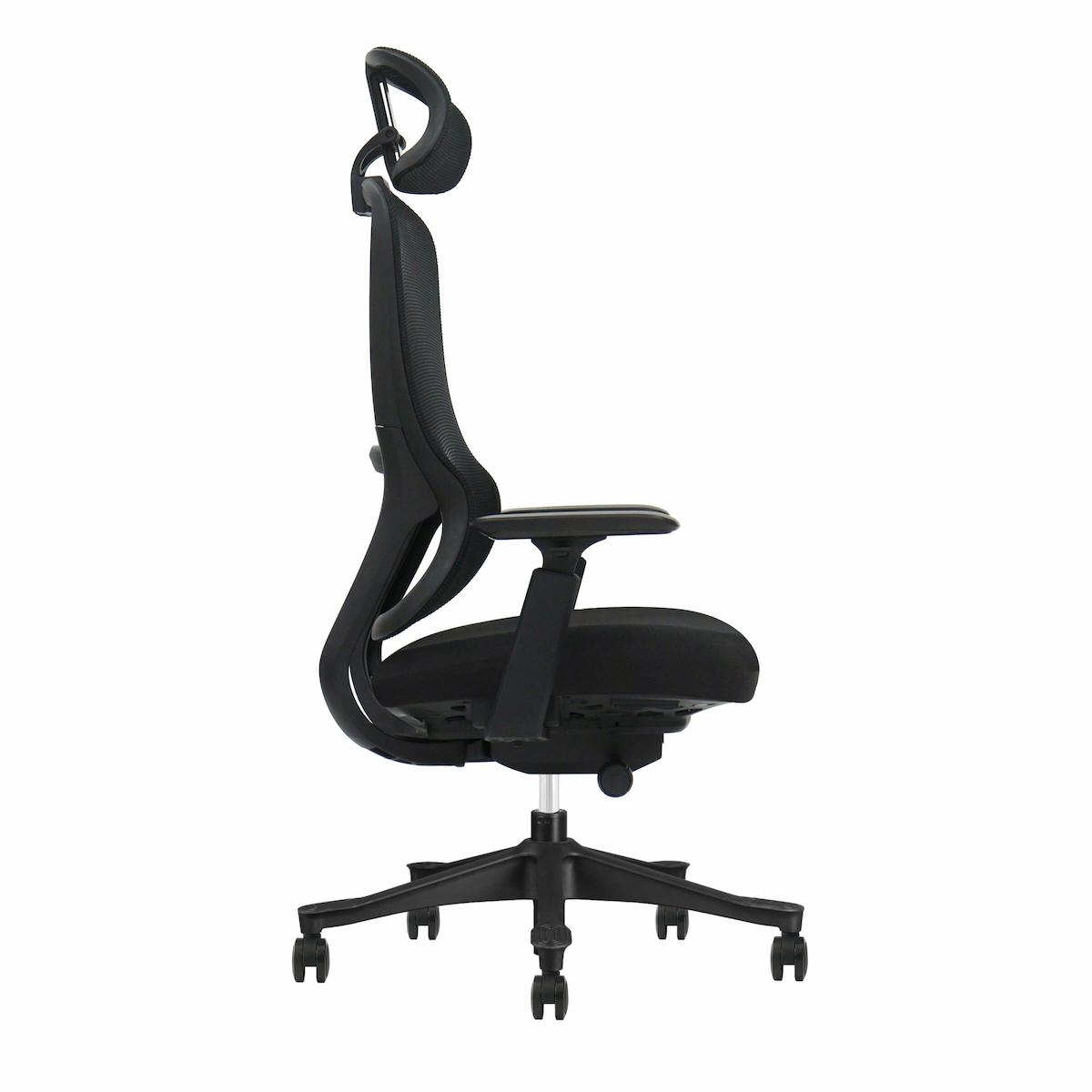
An adjustable headrest can support you when leaning back. Mesh provides an open feel; an upholstered back adds cushioning. Check the shape and adjustability as carefully as the finish.
Seat upholstery, base & castors
Look at the seat’s padding, fabric care instructions and stated usage rating. A swivel base helps you turn towards your work. Ask which castors suit your flooring, as carpet and hard-floor requirements can differ.
Look for: materials you can live with, easy-to-use controls and castors matched to the room.
Before you buy
Look beyond the feature list.
A long specification is only useful when the chair works for the person sitting in it. Check these five things before deciding.
Your measurements
Compare the seat height, depth and width with a chair you already find comfortable. Check the adjustment range, not just the overall dimensions.
Your desk
Allow space for your legs and check whether the armrests will fit under the desk. A fixed desk height may affect the chair height you need.
Your working day
Check the stated daily usage rating. A chair for occasional home use and one for extended shifts may have very different specifications.
Your weight
Check the manufacturer’s maximum user weight and stay within it. For example, 150 kg is approximately 23 st 9 lb. Capacity alone does not tell you whether the seat will fit.
Your peace of mind
Read the warranty, delivery and returns information. Ask about assembly and replacement parts if these matter to you.
See the features in action
Meet the Everything Chair.
4D armrests. Sliding seat depth. Responsive lumbar support. A weight-responsive recline with four locking positions. A useful place to start when you want a chair with plenty of adjustment.
Explore the Everything ChairMake it yours
Five minutes. A better starting point.
Once your chair arrives, take a moment to adjust it at your own desk. Keep changing position and take breaks from sitting throughout the day.
- 01
Start with the seat
Sit back with your feet supported. Set the height so your keyboard is just below your elbows; use a footrest if needed.
- 02
Leave a little room
Adjust the depth to support your thighs, leaving about 2–3 cm between the seat edge and the backs of your knees.
- 03
Set your support
Position the lumbar support against your lower back. Bring the arms to a comfortable height without lifting your shoulders.
- 04
Balance the movement
Adjust the recline resistance to suit you, following the chair’s instructions. You should feel supported as you lean back.
- 05
Bring the desk to you
Keep your keyboard and mouse close. Position the top of your screen around eye level, roughly an arm’s length away.
The questions worth asking.
Do I need a headrest?
It depends on how you sit and work. A headrest can provide support when reclining, but it should not push your head forward while you work. Look for height and angle adjustment, and try the position if possible.
Is mesh better than an upholstered back?
Neither is automatically better. Mesh offers an open, ventilated feel; upholstery provides a cushioned surface. The shape, tension, support and fit matter as much as the material.
What do 2D, 3D and 4D armrests mean?
These labels describe the number of adjustment directions. They can include height, forward/back movement, sideways movement and rotation. The exact combination varies by model, so check the product specification rather than relying on the label alone.
Will an ergonomic chair solve my discomfort?
A suitable chair is one part of a comfortable workstation. Your desk, screen, keyboard, tasks and working habits also matter. If you are unsure what to change, a DSE assessment can give you personalised workstation advice.
Find a chair that works for you.
Explore our ergonomic seating or get practical advice on your whole workstation.