


 0151 792 6995


Plug in your laptop.
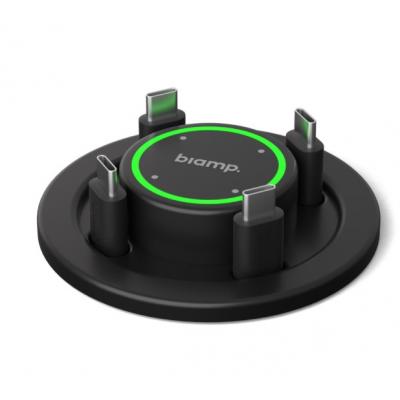
Pull a USB-C cable from the tabletop controller. Connect your compatible device for video, room peripherals and charging.
Biamp / EasyConnect MPX 250
Bring your laptop. Make the room yours. Connect to the display, camera and audio, charge your device and get straight to the conversation.
For compatible USB-C laptops and connected room AV equipment.

Make shared meeting rooms easier to use. EasyConnect MPX 250 brings four USB-C connections to the table, with presenter selection and cable management built around everyday collaboration.
Your meeting room, connected
Order your system, or ask us to help plan the right setup.

Four USB-C connections. Touch presenter selection. Integrated charging and cable management for a more organised meeting room.
£2,394.00 inc. VAT
In Stock – Dispatches in 2-5 Business Days
Talk to an Expert – 0151 792 6995Payment & Delivery
From laptop to meeting
A familiar laptop. The room’s AV equipment. One straightforward way to bring them together.
Pull a USB-C cable from the tabletop controller. Connect your compatible device for video, room peripherals and charging.
Select your connection on the touch controller. Illuminated status indicators make it easy to see who is connected and presenting.
Use your preferred meeting platform with the room’s connected camera, microphones, speakers and display.
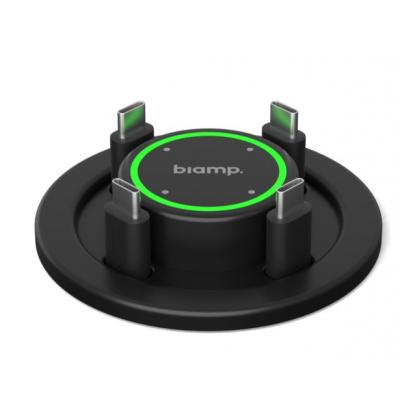
The room. At your fingertips.
When the conversation moves to the next presenter, your technology can move with it. Four participants can stay connected while the touch controller selects who shares.
Run your meeting on the connected laptop. Compatibility depends on the laptop and installed room equipment.
See it in action
See how the connection, presenter selection and shared room technology work together in our product demonstration.
Keep the ideas flowing
Keep laptops charging while people work. Available power adapts to the number of connected devices, whether or not they are presenting.
Requires USB Power Delivery compatibility. Actual charging depends on the connected device.
Thoughtfully installed
The essentials stay within reach. The connections stay organised below the surface.
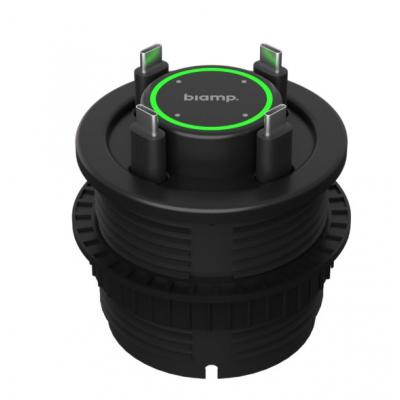
Four supplied USB-C cables and a retractable mounting system help keep the table tidy between meetings.
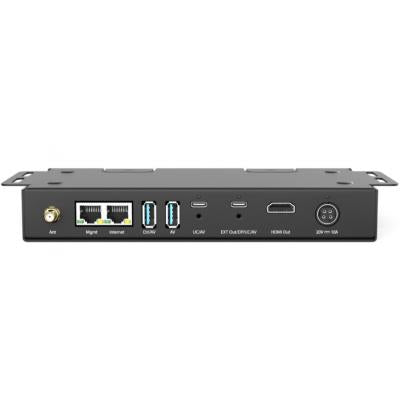
Connect compatible displays, USB peripherals and wired internet. Plan a dual-display or extended installation with the appropriate additional hardware.
Your system, explained
Displays, cameras, microphones, speakers and optional extension or multi-unit accessories are separate.
The practical details
*Maximum video performance depends on the laptop, display, cables and system configuration. Dual displays require a suitable setup; Windows supports extended displays, while macOS mirrors the image. Video over USB-C requires DisplayPort Alt Mode.
Explore Biamp’s system overview ↗Before you connect
Your laptops need the USB-C functions required for your setup: DisplayPort Alt Mode for video and USB Power Delivery for charging. Send us the laptop models and room equipment, and we can help check the proposed configuration.
Four laptops can remain connected, with the touch controller selecting the active presenter. It is designed for easy handover between participants, not four simultaneous shared screens.
No. The MPX 250 connects laptops to compatible room equipment. Displays, cameras, microphones and speakers are separate, along with optional extension and multi-unit accessories.
Yes, with a compatible dual-display configuration and the necessary additional hardware. Windows can extend across displays; macOS mirrors the image. Ask us to check the complete signal path before ordering.
Meetings run through the applications on your connected laptop. System setup and updates use Biamp’s free EasyConnect Management Console for Windows or macOS, with a USB connection to the unit.
Yes. Tell us about your table, laptops, displays and existing AV equipment. We can help identify the required components and discuss installation arrangements for your project.
Bring people together
One room or a wider workplace project — let’s find the right setup.